|
| HyperMover GS 1.2 |
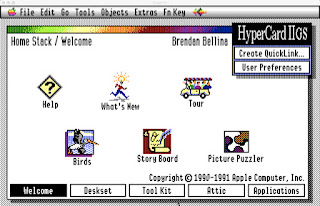
Apple's HyperCard was a powerful Macintosh application development tool conceived by Bill Atkinson that was freely available for MacOS 6 through MacOS 9. In 1990 Apple released HyperCard IIGS 1.0 for their IIGS platform, and then its only official update v1.1 in 1992. HyperCard IIGS (aka HyperCard GS or HCGS) was based on HyperCard 1.2.5 though it sported color and even had some features like button families that were later added to Macintosh HyperCard. By that time thousands of HyperCard stacks had already been created and were available from online services so Apple developed a utility called HyperMover to facilitate the conversion of HyperCard stacks to HCGS and vice versa. HyperMover consists of a pair of stacks that work in together to disassemble and reassemble stacks. (Note that stacks created for Roger Wagner Publishing's HyperStudio application are not compatible with HyperMover or HyperCard.)
MacTech magazine's technical section described HyperMover this way (information likely provided by Apple employees Tim Swihart and Matt Deatherage):
____
HyperMover allows HyperCard 1.2.5 stacks from the Macintosh to run with little or no modification on the Apple II GS with HyperCard IIGS. HyperMover consists of two stacks, one for the Macintosh and one for the Apple II GS. HyperMover for the Macintosh (aka Macintosh HyperMover) creates a folder containing files that describe the stack you wish to convert to the II GS. This folder and the files it contains are then transferred to the II GS via Apple File Exchange or an AppleTalk network. HyperMover for the IIGS (aka HyperMover IIGS) then rebuilds a stack as close as possible to the original stack using the files contained in this folder. The most noticeable difference between the original and the rebuilt stack will be in the graphics. Because the IIGS and the Macintosh have such different sized screen displays, the graphics and objects of the rebuilt stack must be scaled to fit the IIGS screen, resulting in some loss of detail.
HyperMover contains several features designed to make the rebuilt stack as useful and as close to the original stack as possible. It can create scaled representations of Macintosh pictures, convert Macintosh sounds to IIGS sounds and Macintosh icons to IIGS icons, and transfer all HyperCard objects including backgrounds, cards, buttons, and fields and their attributes. However, because HyperMover is a stack, it cannot convert XCMD/XFCNs and cannot fix scripts that need specific Macintosh screen coordinates to function.
____
This is a nice summary of what the HyperMover stacks do, but the opening statement "HyperMover allows HyperCard 1.2.5 stacks from the Macintosh to run with little or no modification on the Apple II GS with HyperCard IIGS" is a marketing exaggeration. Also since Apple continued to enhance HyperCard for several years and chose not to further develop HyperCard GS or the HyperMover stacks, the conversion of HyperCard stacks now becomes even more complicated because Mac stacks may contain objects that have properties, property values, and script syntax that was introduced in HyperCard 2 and is unknown to both the HyperMover stacks and HCGS.
Back in the 1990's I taught what was possibly the first online course on HCGS and published stacks in Script-Central. Since then I have converted many of Apple's HyperCard stacks to HCGS, published my own issues of Script-Central Special Edition, and have released my own update to the HyperMover stacks, version 1.2. I have also created several resources along the way to assist in stack conversions just in case anyone in the future wants to convert a stack from Mac HyperCard to HCGS. This blog post and the resources it refers to should be useful to anyone attempting to use HyperMover. This is intended to be a practical guide based on my decades of experience with HCGS but will not be exhaustive as I had no role in the development of HyperCard, HCGS, or HyperMover and have never been or will be an Apple employee, nor do I have inside knowledge or am omniscient (if I was, I guess I would know it). To further demonstrate the conversion process and its pitfalls, the Macintosh HyperCard stack Concentration version 2.2 by Sioux Lacy will first be enhanced and then converted to HCGS. These stacks and other resources I will refer to are available for download from my Silverwand Software site.
 |
| HCGS BugTracker 1.4 |
In addition to this blog post one of the most important resources to read if you are considering converting a stack is the article included in the HCGS.BugTracker stack on the differences between Mac HyperCard and HCGS. This article is also published in this blog post: https://bbellina.blogspot.com/2026/02/hypercard-iigs-bugtracker-documents.html
The Software Versions
Macintosh HyperCard 2.4.1 (the final release from Apple)
HyperCard GS 1.1 (the final release from Apple), though unofficial release 1.2 (read about it here) could be used as well and does correct a bug in the HCGS 1.1 date routines that Apple corrected in Macintosh HyperCard.
HyperMover 1.2 released by Brendan Bellina in 2024 and available at the Silverwand Software site in Script-Central Special Edition v9n4 for the IIGS and a DiskCopy 6 disk image for MacOS.
Why not HyperMover 1.1 or 1.1u? HyperMover 1.1 has serious bugs that alter the ordering of objects in the stack. Any stacks that refer to objects by number - which many do - may not convert properly. HyperMover 1.1u was distributed on Script-Central issue #3, however Script-Central did not release a Mac version, so in order to use 1.1u you have to first run the IIGS 1.1u patch stack through HyperMover GS 1.1 and then rebuild it with Mac HyperMover 1.1 so that it can then be applied to the Mac HyperMover 1.1 stack to patch it to 1.1u. While explained in a later version of Script-Central it is kind of a mess to do. Also, version 1.1u of HyperMover still contains a number of bugs and does not handle a number of button and field properties which are handled properly in HyperMover 1.2. The fixes made in 1.1u are included in 1.2.
Determining if a Macintosh HyperCard stack is a Good Candidate for Conversion to HCGS
There are many reasons why a Macintosh stack may not be a good candidate for conversion.
Locked or otherwise password protected stacks cannot be converted by HyperMover. There are stacks that can be used to view the scripts of protected stacks, and using those may allow you to rebuild a stack manually.
Stacks that are applications cannot be converted. An application stack would need to be converted to a normal HyperCard stack in order for HyperMover to disassemble it.
Stacks that rely on the non-standard card sizes introduced after HC 1.2.5 cannot be converted. If the stacks can be redesigned to use the standard 512x342 card size then HyperMover can disassemble them.
Stacks that rely heavily on Mac only externals (XCMDs and XFCNs) will require significant post-conversion work because externals cannot be migrated by HyperMover. There are over 100 IIGS externals that were developed and it is possible that the functionality provided by a Mac external can be met with a IIGS external or HyperTalk script. The stacks HCGS.Xtras (which is a collection of all HCGS externals) and HCGS.BugTracker and the document "Mac HyperCard Resources" on the HCGS Best of 32 MB image available at the Silverwand Software site can assist in identifying substitutes.
Stacks that heavily rely on HyperCard 2 features may require significant post-conversion work. Alternatives for some features have been developed in stacks and are available on the HCGS Best of 32 MB image available at the Silverwand Software site. The HCGS.BugTracker stack includes an article on the differences between HCGS and Mac HyperCard (also found here) and suggests many replacements for HC features and syntax changes that may be needed in HyperTalk scripts when converting from Mac HC to HCGS since there are several inconsistencies between Mac HyperTalk and IIGS HyperTalk.
- MenuMaster to help implement menus (only HC 1.2.5 menu style can be used, not the HC 2.0 menu style)
- BalloonMaker GS to help implement balloon help (this provides limited functionality using hidden buttons and fields)
- HCGS.Palettes to implement navigation palettes in HCGS (note that these are more limited than Mac palettes and require the stack be structured in specific ways. Template stacks created by Brendan Bellina can be used to assist in developing stacks that use the navigation palettes.)
- FastTalking to implement talking within a stack using the ByteWorks Talking Tools (far more limited that the MacinTalk speech capabilites.)
- HyperTexting to implement hypertext behavior in a stack
- Marking.Cards to implement marking cards in a stack
- MultiFontDemo to implement a font that allows both plain and underlined text in a single field
- PopUp buttons
- A number of scripts and functions published in Script-Central Special Edition issues to mimic Mac HyperCard commands and messages missing in HCGS such as exitField.
Stacks that are highly dependent on graphics will not convert well. HyperMover scales background and card pictures to match the 320x200 HCGS screen and they rarely look good enough to use and generally have to be redone from scratch.
Stacks that rely on the Mac HyperCard 2 ability to use multiple fonts and font faces within a single text field. HCGS lacks this ability. The MultiFont font can be used to allow combined plain and underlined text, but only in its typeface. See the MultiFont stack for more information on use of this font.
Stacks that use non-standard fonts for text fields or displayed button names. HyperMover cannot migrate font resources and Macintosh fonts may be difficult to convert. Mac HyperCard allows fonts to be attached to a stack and used without requiring them to be installed in the MacOS system folder. HCGS does not have this native ability, though the FontZ XCMD by Richard Bennett published in Script-Central #18 and also available on the HCGS Best of 32 MB image can be used to attach bitmap fonts to HCGS stacks. A stack developer should be aware that the standard fonts available in HCGS are not the same as MacOS. The standard fonts for HCGS are:
- Courier 10, 12 (a full install will also include 9, 14, 18, 20, 24)
- Geneva 10, 12 (a full install will also include 14, 16, 18, 20, 24)
- Helvetica 10, 12 (a full install will also include 9, 14, 18, 20, 24)
- Shaston 8, 16
- Times 10, 12 (a full install will also include 9, 14, 18, 20, 24)
- Venice 14 (a full install will also include 12, 24)
Stacks that rely heavily on custom icons. HyperMover can be allowed to attempt to convert icons but the results will generally look terrible and just take up space in the resource fork of the target stack. It makes more sense to utilize standard icons or make custom icons on the IIGS using the Icon Editor stack. Unfortunately many of the standard Mac HyperCard icons are not built into HCGS, even though many can be found in Apple's stacks. Also, icon IDs are not consistent between Mac HC and HCGS. Resources available to assist in dealing with icons include the stacks HCMacIcons and TheMissingIcons on the HCGS Best of 32 MB image.
Custom cursors can be migrated from Mac HyperCard stacks but because of the screen resolution differences they will be appear much larger in HCGS than they appeared in Macintosh HyperCard.
 |
| HCGS Button Field Probe |
 |
| HC Button Field Probe |
There are a small number of button and field properties that were available in Mac HyperCard that are not available in HCGS and are not handled properly by HyperMover. Generally these will not be critical but may need to be addressed in the target stack. To easily identify these properties use Brendan Bellina's HCGSBtnFldProbe and HCBtnFldProbe stacks.
In the 1990's conversion of Macintosh stacks that do a significant amount of heavy processing would not be recommended because HCGS is slower in execution than Mac HyperCard. With modern emulators this is no longer a significant reason to avoid conversion of a stack. Only a small number of purists are likely to be using physical unaccelerated hardware from 40 plus years ago.
While the above are all technical reasons, the most important reason that a stack would not be a good candidate is if the person attempting to convert it is not intimately familiar with it. Familiarity is crucial in order to determine what pre-conversion changes should be made, what post-conversion changes will be necessary, and what testing will be required. Ideally the person converting a stack should be its author and a stack would be developed knowing that it would be converted.
 |
| Notable |
Understanding all of the above, it is possible to get close to feature parity on both platforms in many cases. Examples of my own stacks that do so include my Merlin stacks (MerlinGS/MacMerlin), my Eliza (TheDoctorIsIn) stacks, Notable, the Button Field Probe utility stacks, Balloon Maker, and the slot machine stack One Arm Bandit.
With HyperMover and some creativity and patience I have been able to make many stacks available for both Mac HyperCard and HCGS, including Script-Central's HyperSonic (converted from HCGS to Mac HC), Cyan's MenuMaster, Sioux Lacy's Groupies 3.2, the Apple Guidelines stack, the Apple HCGS Course stack , the Apple //c Plus Technical Look stack, the Apple HC Supplement 1987, the Apple Phone Dialer stack, the Apple Readymade Fields stack, the Apple Readymade Buttons stack, the Apple Stack Templates stack, the Apple BackgroundArt stack, and Joseph Terrari's GraffitiMaker. All of these and more are available on the HCGS Best Of 32 MB image and issues of Script-Central Special Edition, all freely available at my Silverwand Software site.
 |
| ACK v2024 |
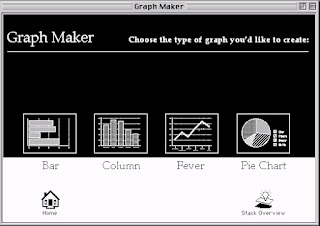
In many cases conversion becomes an opportunity to enhance stacks such as I have done with Mark-Jason Dominus's Adventure Construction Kit (ACK) v2024 allowing the creation of my text adventure stack "ESC from LaLaLand", Andy Burns' BingoCaller stack, Apple's Graph Maker stack, and Sioux Lacy's Concentration v2.2 (the topic of the remainder of this post), all of which are available on the Silverwand Software site.
In addition to my work with HyperMover and stack conversion, HangTime also converted several stacks using HyperMover and released them on the 1993 and 1994 issues of Script-Central. Geoff Weiss converted John Stiles' LOGO v2.1 stack to HCGS adding many features.
Enhancing and Converting Sioux Lacy's 1987 Concentration version 2.2 stack
Concentration version 2.2 is a memory matching game by Sioux Lacy. The game deals 52 cards from a standard deck of cards face down and the object is to eliminate pairs of cards by matching them on their card value (2's, 3's, 4's, etc.). I chose this stack for conversion for a few reasons. First, its author Sioux Lacy worked at Apple, developed the Groupies utility stack, and knew the members of the HyperCard development team, so it feels historically significant. Second, it is a simple stack that consists of only 4 cards and one background with no graphics, and so seemed a good technical candidate. Third, I recently learned of SK8 which was an internal prototyping tool used at Apple that was based on HyperCard and in its documentation a similar Concentration game is suggested that matches on sound effects rather than images; knowing of no Concentration games on Macintosh or IIGS that matched on sound effects I decided I could add this capability to Concentration version 2.2 fairly easily.
It didn't take long to create Concentration GS (G for graphics and S for sound), an enhanced version of Concentration v 2.2 that allowed matching on sounds in addition to card values. At the same time I made a small number of changes to the stack to take advantage of button families, added code to check for minimum required HyperCard version, corrected a few bugs having to do with global variables not being cleared properly, and added a new preference setting to disable flashing when a match was found as flashing can trigger seizures for some people.
 |
| Concentration GS (Mac HyperCard 2.4.1 version) |
 |
| Concentration GS About... |
 |
| Concentration GS Instructions |
 |
| Concentration GS with cards dealt for a game |
 |
| Concentration GS showing card values using peek |
To assist in development and testing Sioux Lacy included a function "peek", which when typed in the HyperCard message box shows all of the card values. What appears to be graphics is actually implemented using a custom bitmap font called "Deck" which has 52 characters defined with each being a card value over a card suit. The values shown on the cards is actually just the names of the cards using the Deck font. While this is fast and slick the use of this custom font did create a challenge because HyperMover is unable to convert font resources. I do not know the origins of this font but my guess is that it was created by someone with the intent of using it in multiple HyperCard stacks. Randomly assigning values to the cards was done with an XCMD "Deal" and an XFCN "IsMatch" was used to determine when two cards matched. To retrieve sounds from the stack I used the standard Macintosh XFCN "Resources". Since externals also do not convert I knew I would have to find or develop substitutes for these as well.
While making enhancements it is important to understand the potential impact to looping routines of adding or removing buttons and fields. Scripts may assume that they should loop from button n to m on a card, but if you create a new button and move it so it is closer to the card than button n than button n will now be button n + 1 and the loop will no longer work. Consider coding changes carefully.
Using HyperMover
Using HyperMover is the simplest and quickest part of the process, especially when using emulators to convert stacks with a small number of cards.
For my HyperCard work these days I use an old Intel MacBook Air running OS X 10.11.6 (El Capitan). I use the MacOS emulator SheepShaver running MacOS 9.0.4 and HyperCard 2.4.1 and Eric Shepherd's Sweet 16 IIGS emulator running System 6.01 and HyperCard 1.1 simultaneously and since SheepShaver can access a host folder as a drive and Sweet 16 supports dragging and dropping files from the host into Finder windows, it is very easy to move files back and forth.
Because the stack contains no unique cursors or icons and no significant art I chose the following HyperMover v1.2 settings when dismantling/disassembling the HyperCard stack:
 |
| HyperMover settings for disassembling the stack |
After conversion I moved the created folder to my IIGS and checked the Resources.txt file to see what was not converted, just to ensure I didn't miss anything. As expected I saw that the Deal XCMD and the IsMatch and Resources XFCNs were not converted. HyperMover doesn't tell you about fonts though, you have to figure that out for yourself. Fortunately sounds are converted and for the most part will sound correct on the IIGS, although they should be tested with the play command after conversion just in case they did not convert correctly.
 |
| Resources,txt lists what cannot convert... mostly |
I then used the following HyperMover GS v1.2 settings to rebuild/assemble the HCGS stack:
 |
| HyperMover GS settings for assembling the stack |
Once HyperMover has successfully rebuilt the stack the real work begins. In addition to the XCMDs, XFCNs and other resources that won't convert, there are a large number of syntax and behavior differences between HyperCard and HCGS and extensive testing is required to find these issues and resolve them.
Upon first launching the new HCGS ConcentrationGS stack the following occurred:
 |
| There be errors here |
In addition to the error a number of other issues become immediately evident. First, the conversion of graphics and painted text is not very good and will need to be either touched up or redone entirely. Second, while HyperMover does a decent job of rescaling buttons and fields, because the font is changed to Shaston 8 the names of buttons may no longer appear correctly. In addition while HyperMover changed the icon of the home button to a HCGS home icon, it isn't actually the correct one, and some buttons are missing their icons entirely. These kinds of errors are fairly typical after stack conversion. Generally icon issues are easily resolved by assigning icons to the buttons as long as the scripts were not changing the icons by icon id. When assigning icons be sure to use icons that are standard HCGS icons present in HyperCard itself or the standard Home stack, otherwise you will need to import the icons into your new stack so others see them when using it.
Another likely cause of errors when converting old HyperCard stacks is the likely heavy use of card id's rather than card names. In HyperCard referring to objects by id is the fastest way to access the object. Using number is problematic if objects are added, deleted, or moved closer or further. Using name is most legible but also the slowest method. Because using ID is the fastest way, many old Macintosh stacks will eschew using names for backgrounds, cards, and even buttons and fields, making the script much harder to understand to anyone but the author. HyperMover tries to maintain the ID numbers of objects when it converts a stack so that script changes will not be required, but it is not always possible to do so, particularly with the IDs of backgrounds and cards. With the conversion of ConversationGS the background and cards in the rebuilt stack have different IDs than the original stack.
Mac BG ID: 2566
Mac Card ID:
3238
2833
3749
2502
IIGS BG ID: 2728
2832
3876
4547
4877
HyperMover is smart enough to automatically adjust scripted lines that look this this:
go to card id x
but more complicated lines like this will not be adjusted and would have to be corrected manually:
if short id of this card is x then ...
This kind of code is often used in openCard or closeCard scripts to hide or show card specific objects. If the wrong id's are referenced then cards may have objects on them that they shouldn't, for example in this card the "New Game" button.
If the converted stack uses ID's then it is important to review all of the script in the stack and correct any lines that refer to the source stack ID numbers. What I generally do is also add a comment to any line that references an ID with the name of the object so it is easier to read and understand the code. Comments do not slow down HyperTalk execution though they do count against the 32k script length limit so they should be used sparingly if the script of an object is lengthy.
After cleaning up graphics, painted text, button and field fonts, missing icons, etc. the stack begins to look a little better. This is also a good opportunity to add a little color and adjust the behavior of buttons to auto-hilite (the Mac default is to not auto-hilite) or provide aural feedback when clicked.
Any card that displays help text or instructions should also be examined because it is likely that the fonts will need to be changed, field sizes altered, and text edited.
The single player and two-player game cards in the stack also required a little clean up due to the fonts and field sizes. The addition of a little color is also a good idea and can make a HCGS stack look more polished.
Depending on your interests as a developer you might prioritize clean up and display over correcting the scripting issues, but eventually any missing fonts, XCMDs, and XFCNs will need to be addressed.
Addressing the missing font "Deck 12"
The 12 point size of the font Deck, a bitmap font, was used as a custom resource in the Concentration stack so that card suits can be displayed without using graphic images. Ideally it would be a simple matter to extract the font from the stack using ResEdit and then use it with the IIGS stack. However there are several issues that make this more challenging:
- Macintosh bitmap fonts are not the same format as IIGS bitmap fonts (Thanks, Apple). Per Andy McFadden, "IIGS fonts are Mac fonts with an extra header and reversed integer byte order" (more info can be found at https://ciderpress2.com/formatdoc/BitmapFont-notes.html)
- HCGS does not natively recognize fonts attached as a resource to the stack. In 1991 Richard Bennett released a HCGS XCMD FontZ which can be used to load a IIGS bitmap font in an HCGS stack resource fork into memory. FontZ was published in Script-Central issue #18 and can also be found in the HCGS.Xtras stack on the HCGS Best of 32 MB image. In my experience it usually works well with fonts with simple names, but fonts that have complex names may not work. Also if HCGS is having memory issues then a font may not load properly. For these reasons it is best to always include the font separately from the stack so that it can be installed into the Systems:Font folder if needed.
Now I did attempt to extract the font from the Macintosh stack and convert it using a number of vintage Mac and IIGS font utilities but I was unsuccessful. I did some searching online and found that the font was included in the "2000 Shareware Fonts Archive" at macintoshrepository.org, I then asked friends in the Apple II developer community if anyone could convert the font for me and Kelvin Sherlock was kind enough to provide a font Deck.IIGS. Using FontZ I attached the font to the HCGS stack but will also include the font with my distribution of the stack so that it can be installed in the System:Fonts folder if need be.
Examination of the Deck font revealed that it uses ASCII codes 39-90 for the 52 cards with each suit of 13 cards (2-Ace) immediately following the prior suit. Examination of the Deck.IIGS font revealed that it uses different ASCII codes: 65-90 (A-Z) for hearts and spades and 97-122 (a-z) for diamonds and clubs. So while the font appears the same, it is in fact not the same. Since the Deal XCMD and IsMatch XFCN need to be rewritten for the IIGS, understanding the differences in the fonts is essential.
Replacing the Deal XCMD
When Macintosh stacks use XCMDs and XFCNs then you may have to experiment with them to determine their behavior so that you can adequately replace that functionality with a IIGS external or script. The HCGS.Xtras stack is a comprehensive collection of over 100 HCGS externals (all I could find) and as far as I know there is no equivalent to the Macintosh Deal XCMD. Theoretically a IIGS XCMD can be written in C or Pascal but this is not my area of expertise and I prefer to use HyperTalk. Generally the significant advantage of an external is processing speed, but since most stacks will be run on emulators speed is not a significant factor any longer.
The Deal XCMD is used in the Macintosh stack background script setup handler like this:
Deal 1, random(52), 52
Lacking the source code or any documentation in the stack I had to rely on the results of the command to determine what the replacement script should do in the HCGS stack. Following the execution of the Deal command background field 1 (the first parameter) would contain a 52 character string consisting of the characters 39-90, with each character only included once - so basically a shuffled deck of 52 cards. Each of the 52 buttons on the card in sequence would then be named with a character from this string. The font for each button was set to the Deck font, so displaying the name of the card will show the value and suit of the card.
Replicating this behavior in HCGS required looping from 1 to 52, putting the correct ASCII codes into a comma separated variable, then using the sortContainer XFCN to randomly sort that variable, and then looping from 1 to 52 again concatenating each character into a variable that was then put into the background field 1. While setting the card names based on background field 1, if the suit is hearts or diamonds I also set the textColor of the button to red, otherwise it is set to black.
Replacing the IsMatch XFCN
To determine if two cards have the same value the Macintosh stack uses an XFCN IsMatch. The background cardsMatch handler calls the XFCN like this:
return IsMatch(the short name of card button x, the short name of card button y)
Lacking the code for the XFCN I do not know exactly how the XFCN is determining if two cards have the same value. While a series of if else statements would work ideally the solution should be as efficient as possible. I decided to math it. Because each suit contains 13 cards in the order 2-Ace, then as long as the 6 character gap from 91-96 is eliminated then any two cards will have the same value if the difference between them is evenly divisible by 13. The code looks like this:
put charToNum(short name of cd btn x) into x_num
put charToNum (short name of cd btn y) into y_num
if x_num > 90 then subtract 6 from x_num
if y_num > 90 then subtract 6 from y_num
return ((abs(x_num - y_num) mod 13) = 0)
(note that the abs() function I used is actually not necessary and the last line could just be:
return (((x_num - y_num) mod 13) = 0)
which would be slightly faster.)
Considering that the Macintosh Deck font doesn't have the gap, it would have been even simpler and faster to handle this mathematically. The following line would have served as well as the XFCN:
return ((charToNum(short name of cd btn x)-charToNum(short name of cd btn y) mod 13) = 0)
A possibly even faster way might be to calculate the absolute value of the difference and then check if that is equal to 13, 26, or 39, which would avoid using mod. Like this:
return (comma & abs(charToNum(short name of cd btn x)-charToNum(short name of cd btn y)) & comma is in ",13,26,39,")
But What About Sound?
For the assignment of random sounds to the cards the Macintosh stack using the XFCN "Resources" which is an Apple provided XFCN which can return the list of resources within a stack. Apple provided a similar XFCN for HCGS called "CurResource". Unfortunately while these XFCNs serve the same purpose, they do not use the same parameters or return data in the same format. For that reason I wrote a wrapper script for the "Resources" XFCN which is used in the Macintosh stack, so that it returns the list of sounds in the stack in the same format that the IIGS "CurResource" does. Of course I could have written a wrapper for "CurResource" instead but at the time I first worked on this issue I was converting the HCGS HyperSonic stack to Macintosh HyperCard, so a wrapper in the Macintosh stack made more sense.
The other difference to address is that the Macintosh HyperCard sort command can be used sort the contents of containers and lists. Unfortunately the HCGS sort command is more limited, so the sortContainer XFCN must be used instead. This was needed when sorting the sounds randomly for assignment to the cards.
In post conversion testing I did find that 2 of the sounds were corrupted in the HCGS stack, so I deleted those sounds and added two others using John Miller's "resCopy IIGS" stack.
Wrapping It All Up
As can be seen from this conversion of ConcentrationGS, while HyperMover can help with the conversion process, there is much more than needs to be considered, even for fairly simple stacks.
Anyone interested in playing ConcentrationGS (sound matching is fun) or examining its scripts can download both Macintosh and IIGS stacks from my Silverwand Software site.
Happy scripting and happy Marchintosh!